Skip to content

David Cramer

  • GitHub
  • Twitter
  • CSS3 + Jquery Ring Progress bar

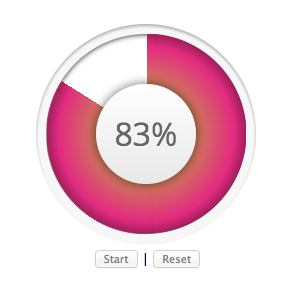
    Animated ring progress bar in CSS3 and JQuery previewSo I’ve been playing with CSS3. Particularly transitions and clipping. As a result, I made this animated ring progress bar.

    There is still a few alignment bugs and haven’t tested on all browsers, but in the big 3 (Chrome, FF and Safari) it looks pretty neat.

    All layout gradients and animations are CSS3 transitions. I use jQuery to set the value and to animate the counter in the center.

    To build it, I used this tutorial kylejlarson.com/blog/2011/how-to-create-pie-charts-with-css3/ to make a pie chart in CSS3 as this is technically a piechart with two values and a hole in the middle.

    There’s a working demo after the jump.



    (more…)

    Share this:

    • Share on X (Opens in new window) X
    • Share on Facebook (Opens in new window) Facebook
    • Share on WhatsApp (Opens in new window) WhatsApp
    • Email a link to a friend (Opens in new window) Email
    • More
    • Share on Pinterest (Opens in new window) Pinterest
    • Share on Reddit (Opens in new window) Reddit
    • Share on Tumblr (Opens in new window) Tumblr

    Like this:

    Like Loading…

    David Cramer

    August 17, 2012
    CSS3, Stuff, Visulisations
    Animation, Cool, CSS3, Experiments, jQuery, Progress, Transition, Visulisation, Visulization
  • DB-Toolkit Toggle Buttons sample

    Been working on V1 of my WordPress plugin DB-Toolkit for a few months now.

    Some background, its a WordPress plugin that enables you to build interfaces into database tables, both existing and custom. Its currently in beta version but after working it so long, I decided that V1 required a rebuild using the knowledge I gained. I decided to go custom interface for this rather than adapt it into WordPress UI. Mu thinking on this subject is that you need to retain some elements, mainly navigation style and colors, but a plugin should have its own feel. Sure a plugin needs to be part of WordPress but that doesn’t mean it should look like it.

    Anyway, these are a sample of the toggle buttons for setting up a DB-Toolkit interface. the green highlight indicates its checked while the extended button with the “required” text expands on hover to reveal the text.

    Share this:

    • Share on X (Opens in new window) X
    • Share on Facebook (Opens in new window) Facebook
    • Share on WhatsApp (Opens in new window) WhatsApp
    • Email a link to a friend (Opens in new window) Email
    • More
    • Share on Pinterest (Opens in new window) Pinterest
    • Share on Reddit (Opens in new window) Reddit
    • Share on Tumblr (Opens in new window) Tumblr

    Like this:

    Like Loading…

    David Cramer

    July 18, 2012
    Stuff
    Buttons, config, db-toolkit, dbtoolkit, interface, toggle, ui, Wordpress
  • My Cart Summary widget

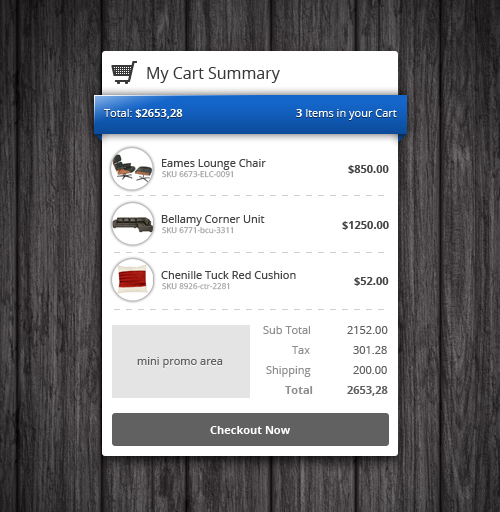
    I have started toying with the idea of building a unique cart system for WordPress. Most that I have come across have custom post types for products, massive amounts of configurations and requires some coding integration. What I’m planning on doing is making it completely shortcode based. To you create a product by simple defining a shortcode in a post or page. that shortcode then becomes an add to cart button with all the info like sku, price etc embedded.

    Theres probably a lot of thinking still, but I think its a good start to something fun. The snap here is of the widget cart summary. It will be a live widget that registers add to cart clicks. and adjusts as needed.

    Also i want the design to be set. so its not wrapped in the themes styles. there will be color choices though.

    Share this:

    • Share on X (Opens in new window) X
    • Share on Facebook (Opens in new window) Facebook
    • Share on WhatsApp (Opens in new window) WhatsApp
    • Email a link to a friend (Opens in new window) Email
    • More
    • Share on Pinterest (Opens in new window) Pinterest
    • Share on Reddit (Opens in new window) Reddit
    • Share on Tumblr (Opens in new window) Tumblr

    Like this:

    Like Loading…

    David Cramer

    July 17, 2012
    Stuff
    cart, cart summary, Widget, Wordpress
  • Uploader Widget

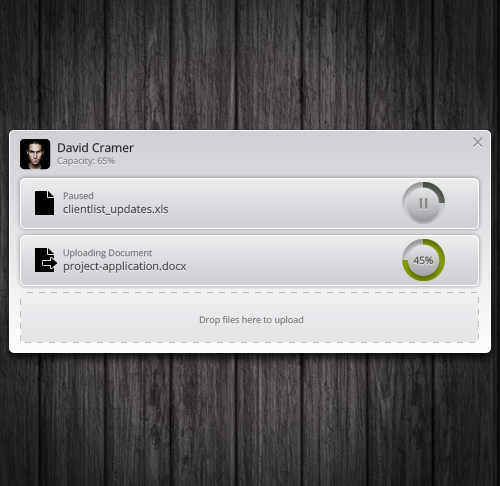
    I have seen some designs of uploaders before. Having never really thought about why anyone would want one i passed them off as just a useless app. But then when I start working for myself, I realized that there is a need to be able to upload files to a server that will be useable for clients or just simple storage of selected files. Dropbox filled this gap nicely.

    But since I have my own server with my own website. it would be nice to be able to send files to my site so that my clients have access to their work. And out came my own uploader. its very simple just a window to drop files in and presto it uploaded to my server. I can then use the files on the site as needed.

    Share this:

    • Share on X (Opens in new window) X
    • Share on Facebook (Opens in new window) Facebook
    • Share on WhatsApp (Opens in new window) WhatsApp
    • Email a link to a friend (Opens in new window) Email
    • More
    • Share on Pinterest (Opens in new window) Pinterest
    • Share on Reddit (Opens in new window) Reddit
    • Share on Tumblr (Opens in new window) Tumblr

    Like this:

    Like Loading…

    David Cramer

    July 16, 2012
    Stuff
    clients, docs, uploader, Widget, Wordpress
  • Profile Card widget

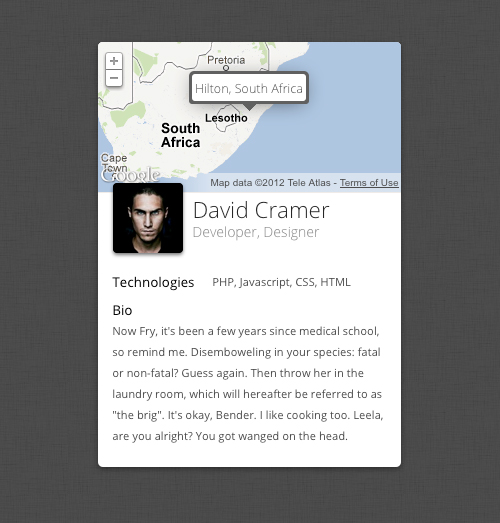
    While working on my event card, I thought it looked way better as a user profile widget, so heres the same concept as a profile  card WordPress widget

    Share this:

    • Share on X (Opens in new window) X
    • Share on Facebook (Opens in new window) Facebook
    • Share on WhatsApp (Opens in new window) WhatsApp
    • Email a link to a friend (Opens in new window) Email
    • More
    • Share on Pinterest (Opens in new window) Pinterest
    • Share on Reddit (Opens in new window) Reddit
    • Share on Tumblr (Opens in new window) Tumblr

    Like this:

    Like Loading…

    David Cramer

    July 16, 2012
    Stuff
    profile, profile card, Widget, Wordpress
  • Mini Gallery Widget

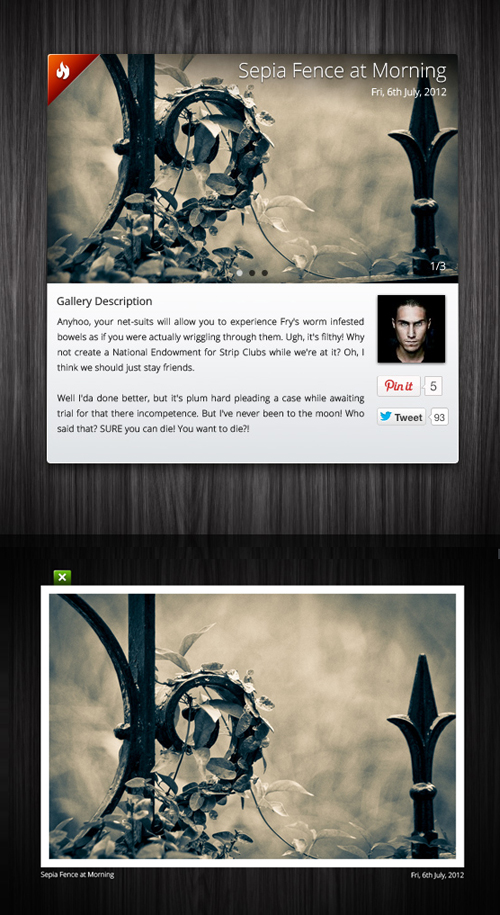
    Following not having done any design work for a while. Years actually. I’ve been looking at making a few designed elements for WordPress. These are meant to be embedded onto pages, posts or sidebars and not use the style of the themes but rather how they are designed to be.

    I took a now thought at the standard icon based flickr feed and adapted it to this mini gallery widget. The set of images are placed as a slider window and on click you get a lightbox viewer on the selected image. It also has Twitter and Pinterest built right in.

    Share this:

    • Share on X (Opens in new window) X
    • Share on Facebook (Opens in new window) Facebook
    • Share on WhatsApp (Opens in new window) WhatsApp
    • Email a link to a friend (Opens in new window) Email
    • More
    • Share on Pinterest (Opens in new window) Pinterest
    • Share on Reddit (Opens in new window) Reddit
    • Share on Tumblr (Opens in new window) Tumblr

    Like this:

    Like Loading…

    David Cramer

    July 6, 2012
    Stuff
    Concept, Design, Element, Gallery, Page, Post, Sidebar, Widget, Wordpress
  • Events Badge

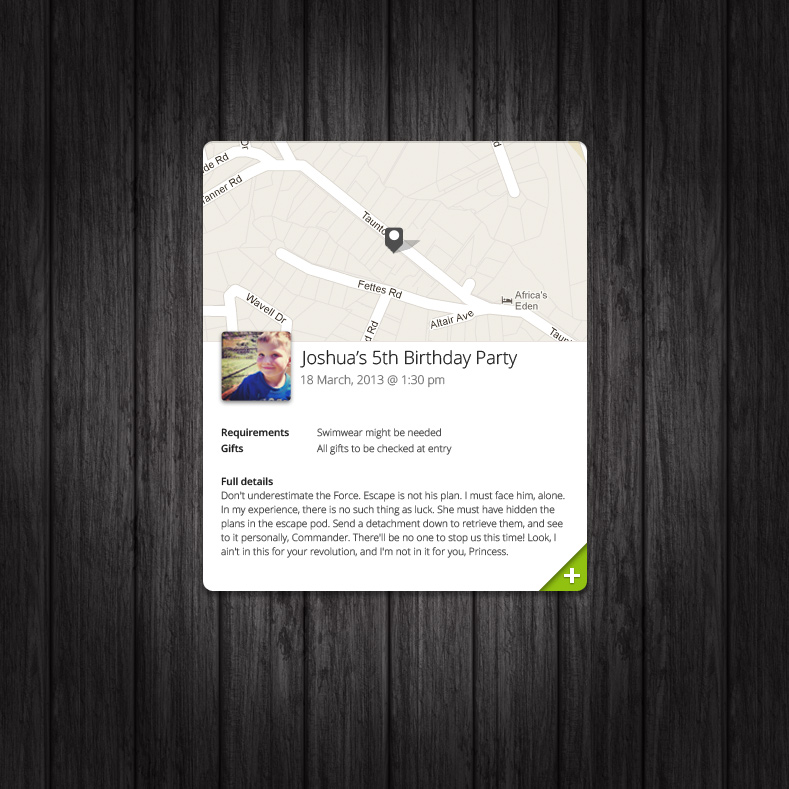
    I haven’t done design work for a while, so thought I would start on a design that I can code into working WordPress Widget.

    I’ve always wanted to do an events listing system, but Its so complicated having to implement a calendar, then events view and so on. So I came up with this neat idea. Why not just have a widget that displays a single event. No need to manage a calendar, just post a widget with the details for the event. quick and simple.

    So here’s a first draft.

    Share this:

    • Share on X (Opens in new window) X
    • Share on Facebook (Opens in new window) Facebook
    • Share on WhatsApp (Opens in new window) WhatsApp
    • Email a link to a friend (Opens in new window) Email
    • More
    • Share on Pinterest (Opens in new window) Pinterest
    • Share on Reddit (Opens in new window) Reddit
    • Share on Tumblr (Opens in new window) Tumblr

    Like this:

    Like Loading…

    David Cramer

    June 27, 2012
    Stuff
    Concepts, Designs, Events, Widgets
  • Social Badges

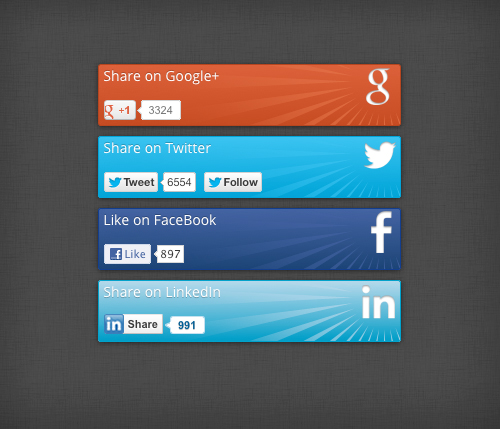
    Social sharing always looks so generic with the little buttons and the bubble. This is my take on making them look a little more vibrant.

    Share this:

    • Share on X (Opens in new window) X
    • Share on Facebook (Opens in new window) Facebook
    • Share on WhatsApp (Opens in new window) WhatsApp
    • Email a link to a friend (Opens in new window) Email
    • More
    • Share on Pinterest (Opens in new window) Pinterest
    • Share on Reddit (Opens in new window) Reddit
    • Share on Tumblr (Opens in new window) Tumblr

    Like this:

    Like Loading…

    David Cramer

    June 6, 2012
    Stuff
    Buttons, FaceBook, Google+, LinkedIn, Social Badges, Social Sharing, Twitter, Widgets

Custom Plugin Development for WordPress, and amateur writer in training.

%d